How to Connect a HostGator Domain to Atomicat
Use this guide when your domain is registered at HostGator and you want it to load an Atomicat site.
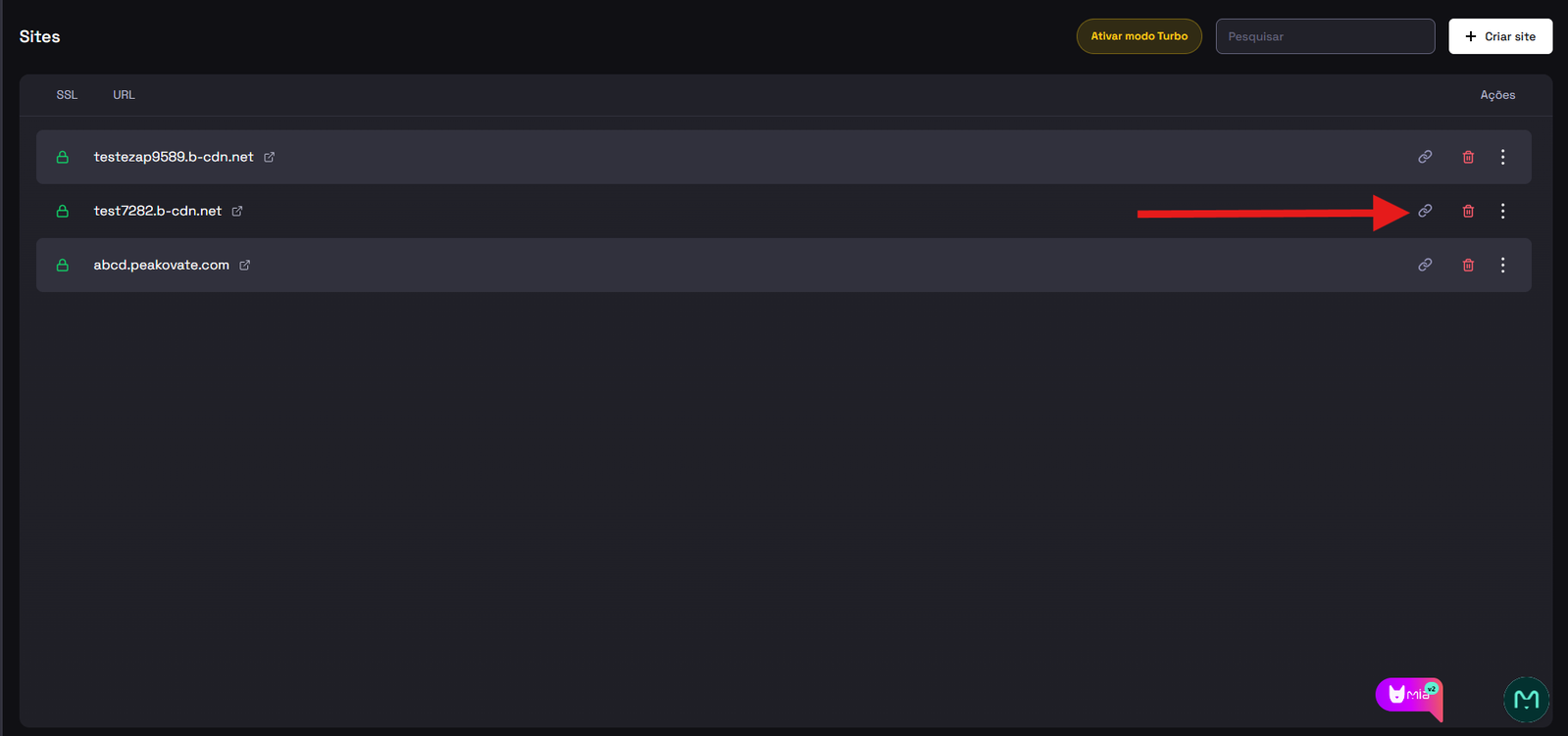
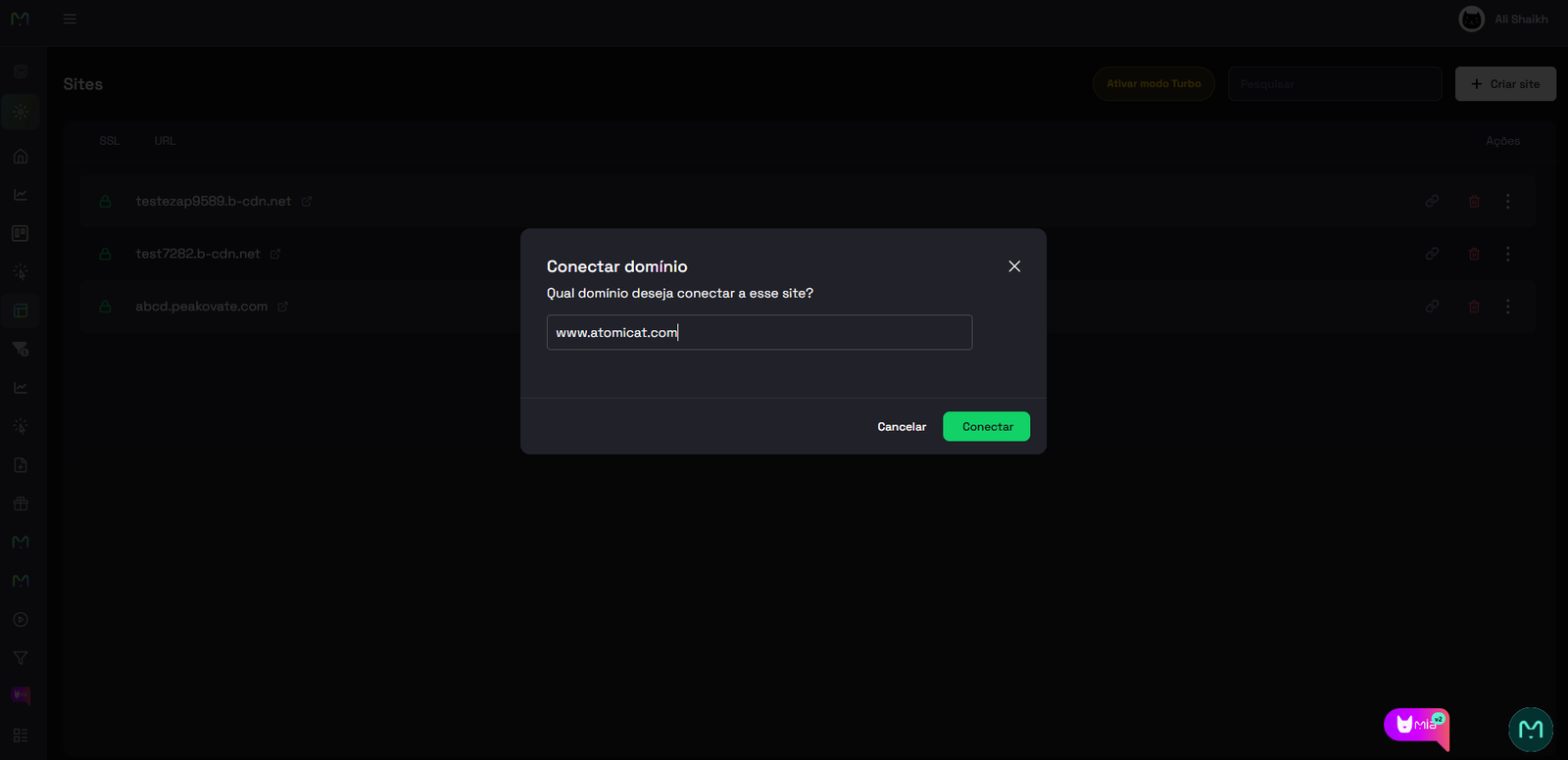
Before you edit DNS at HostGator, open Sites in Atomicat, start the custom domain connection flow, and copy the DNS value shown in the Points to field.
Before you start
Make sure you have:
- Access to the HostGator account that owns the domain.
- The DNS record value shown by Atomicat for your site.
- HostGator nameservers active for the domain.
DNS is edited in HostGator. Atomicat verifies the records after they are public.
Steps at HostGator
- Open the HostGator Client Area.
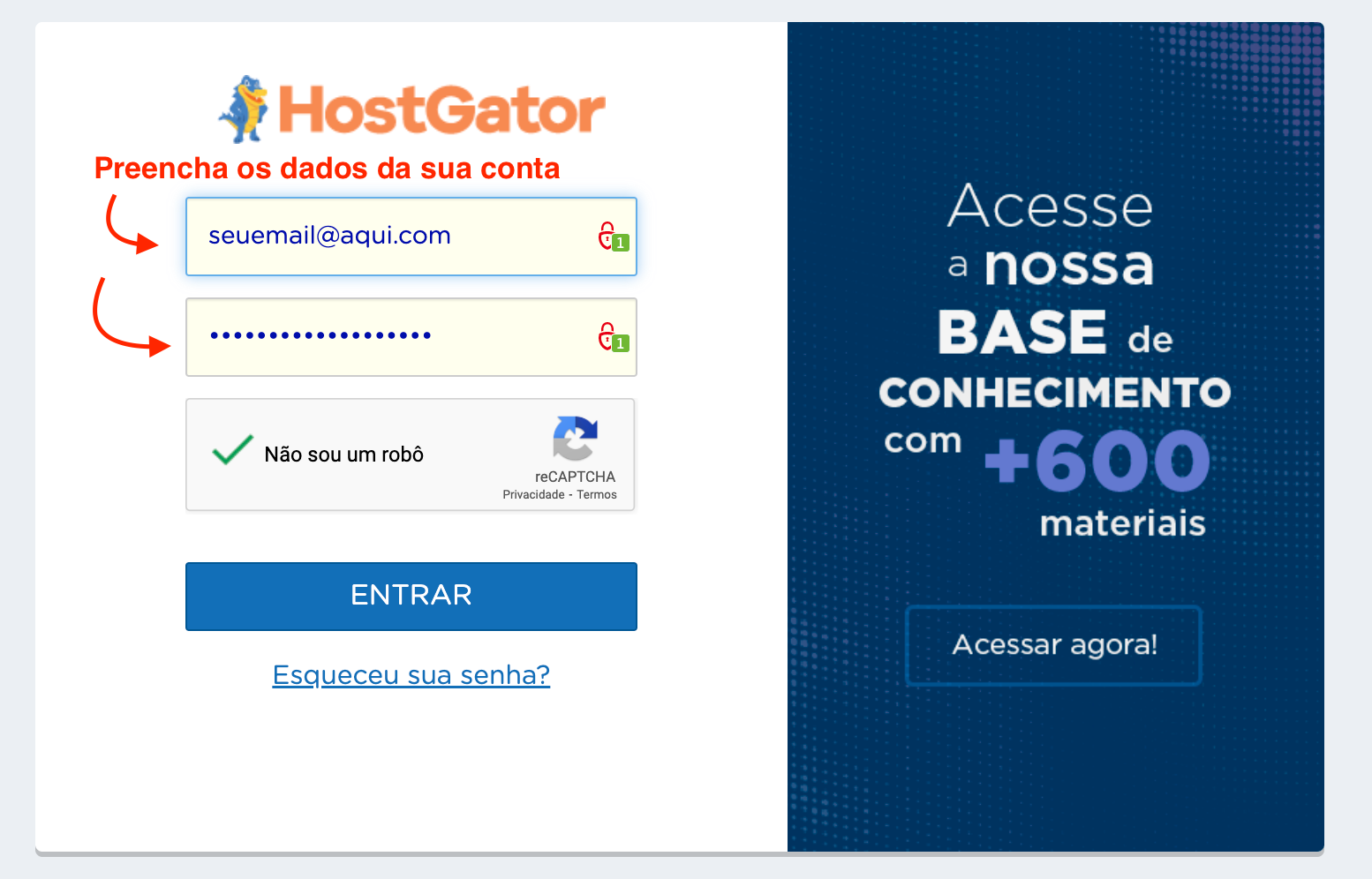
- Log in to your account.
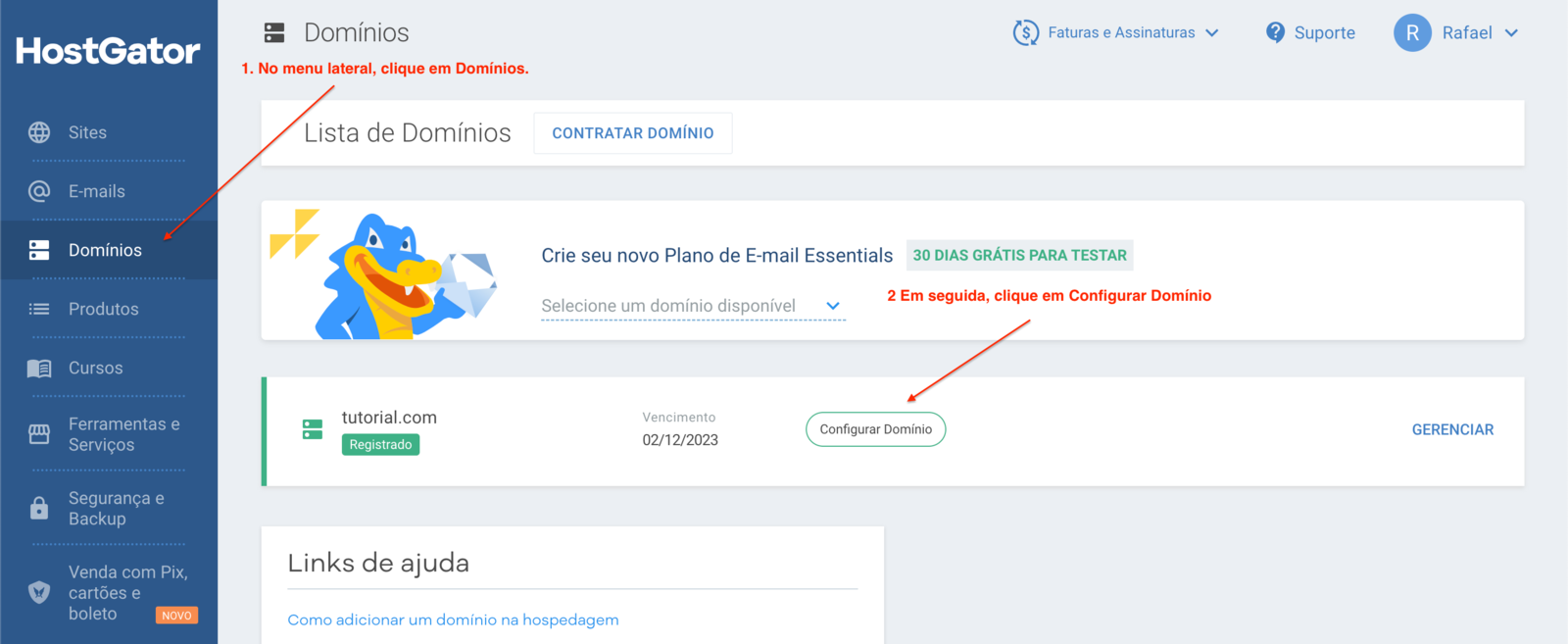
- In the left menu, click Domains. Then click Configure Domain for the domain you want to connect.
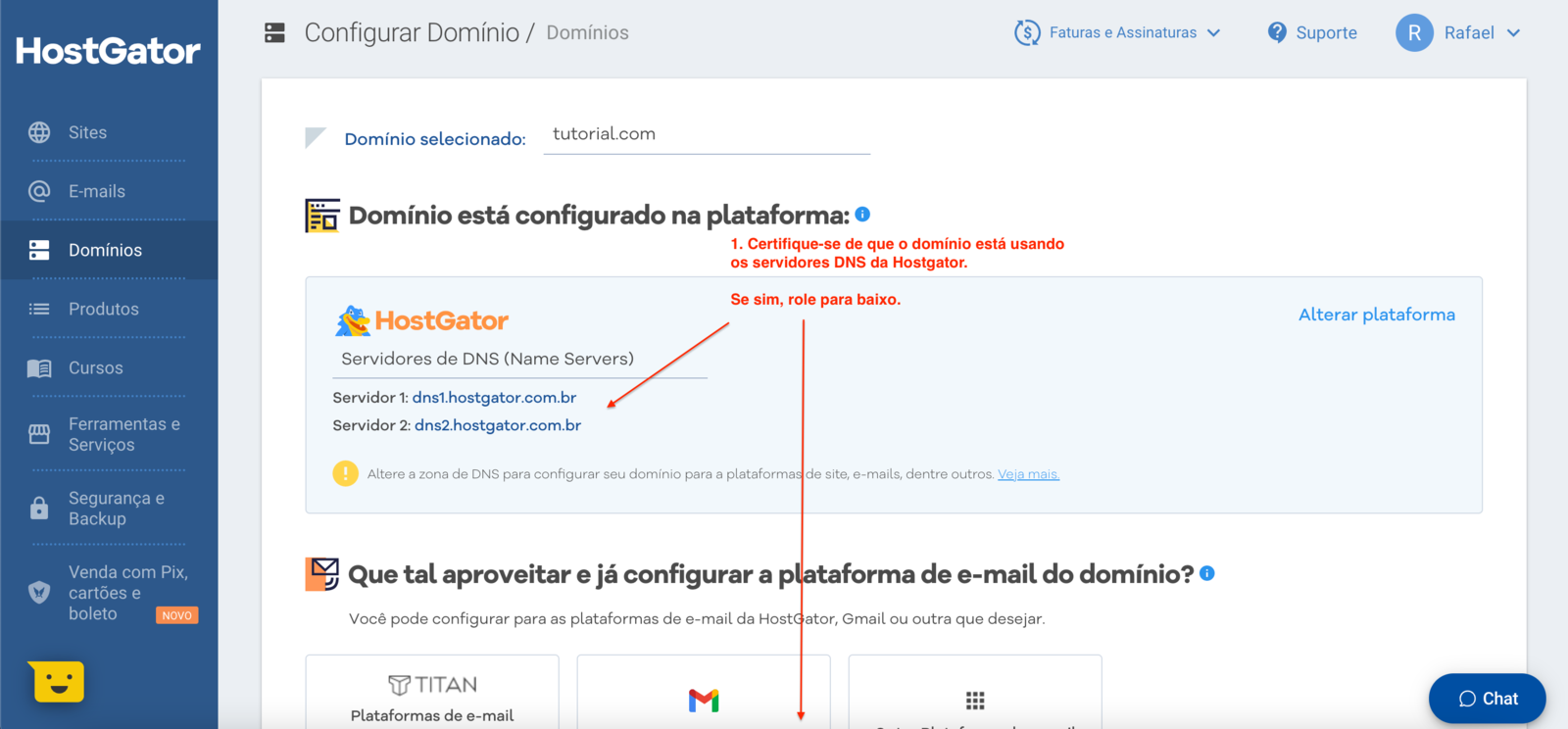
- Confirm the domain points to HostGator nameservers. Then scroll down the page.
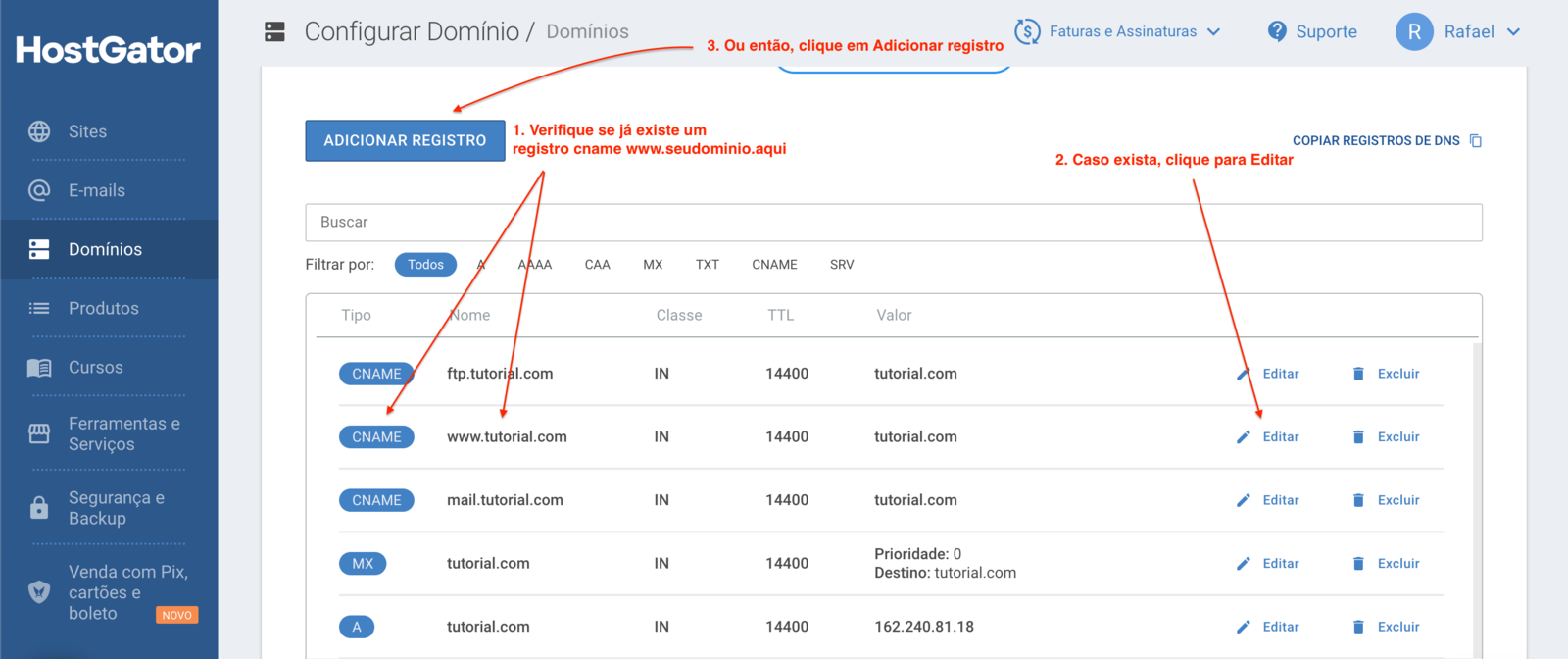
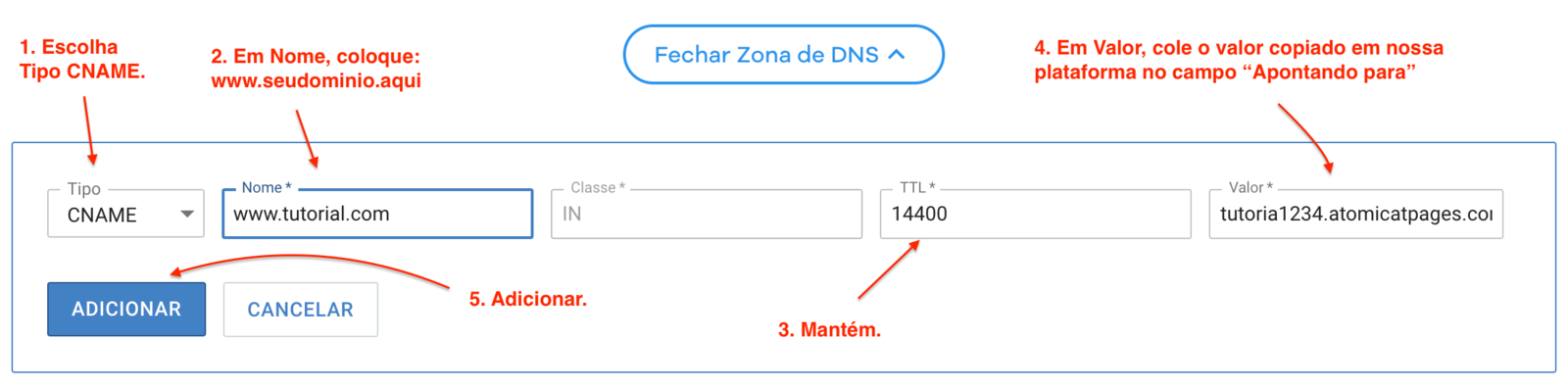
- In the DNS zone editor, check whether a CNAME record for
wwwalready exists. If it does, click to edit it. If it does not, click Add Record.
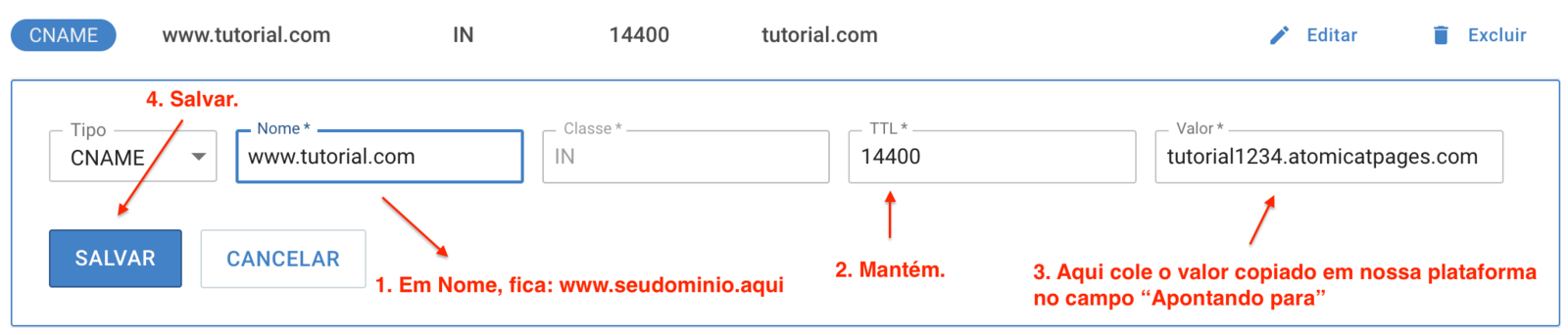
- If you clicked Edit, fill in the fields as shown in the first screenshot below. If you clicked Add Record, fill in the fields as shown in the second layout in the screenshot.
- Wait for DNS propagation. On HostGator, this usually takes 2 to 8 hours, but it can take up to 24 hours. After waiting, return to Atomicat and click Verify.
- If propagation is not complete, Atomicat shows an error like the one below. If your DNS settings are correct, wait a little longer. Propagation depends on HostGator, not on Atomicat.
- When propagation is complete, verification succeeds as shown below. To use your own domain with HTTPS, complete SSL setup next.
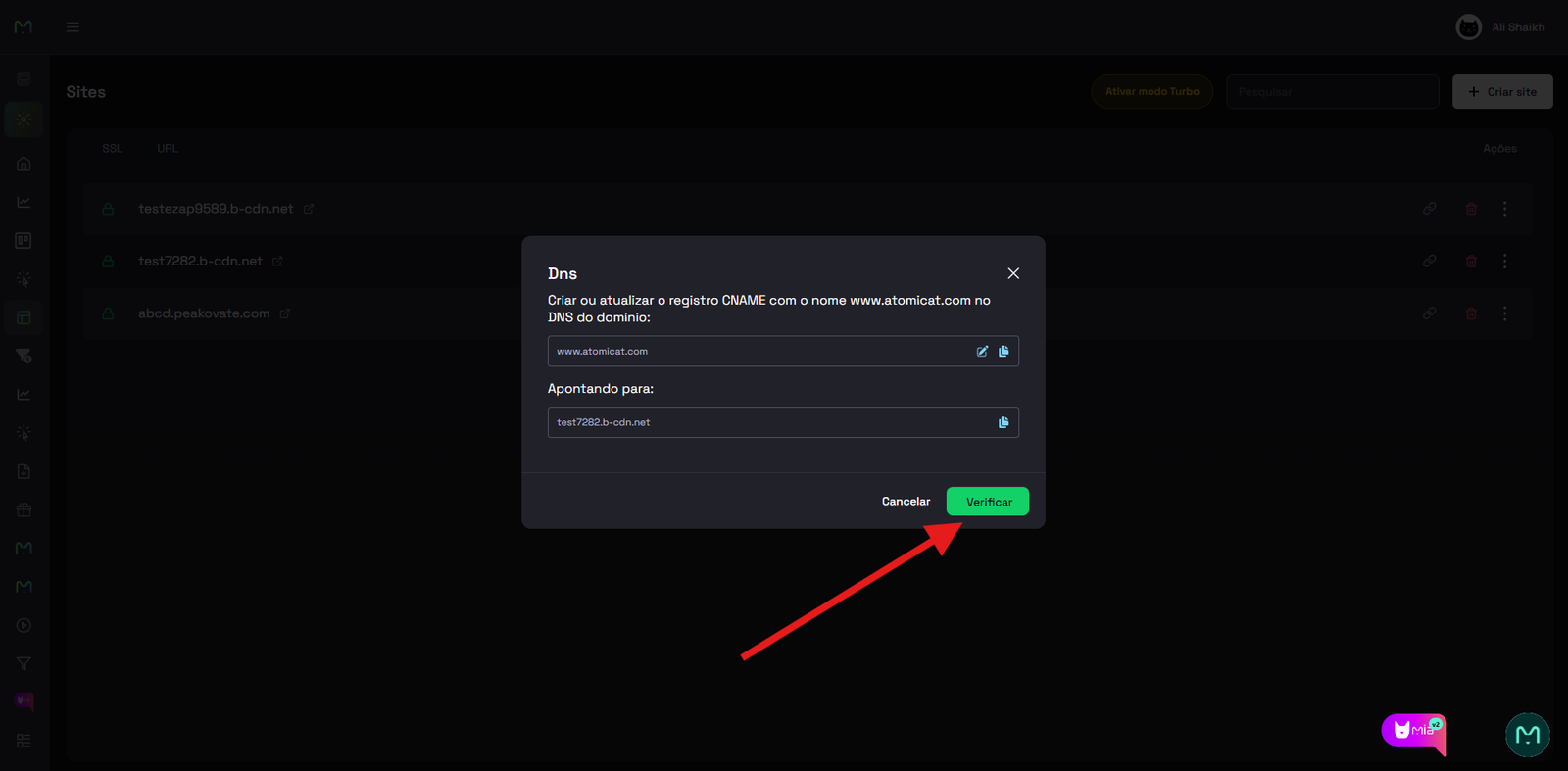
After verification
Follow the SSL guide to activate HTTPS for your connected domain.
Related docs
- How to connect a custom domain
- Connect a domain
- DNS records
- SSL
- How to connect a GoDaddy domain
- How to connect a Hostinger domain
FAQ
How long does HostGator propagation usually take?
Many HostGator DNS changes propagate within 2 to 8 hours, but some updates can take up to 24 hours.
Do I need HostGator nameservers?
Yes. DNS zone edits in HostGator apply when the domain uses HostGator nameservers.
Should I edit or add the CNAME?
Edit the existing www CNAME if one is present. Add a new record only when no suitable CNAME exists.
Why do steps 7 to 9 look the same as other providers?
Those screenshots show the Atomicat verification flow, which is the same after DNS is configured at any registrar.
What happens after verification succeeds?
The domain is connected in Atomicat, but you still need active SSL before sending public traffic to the branded HTTPS URL.