How to Connect a GoDaddy Domain to Atomicat
Use this guide when your domain is registered at GoDaddy and you want it to load an Atomicat site.
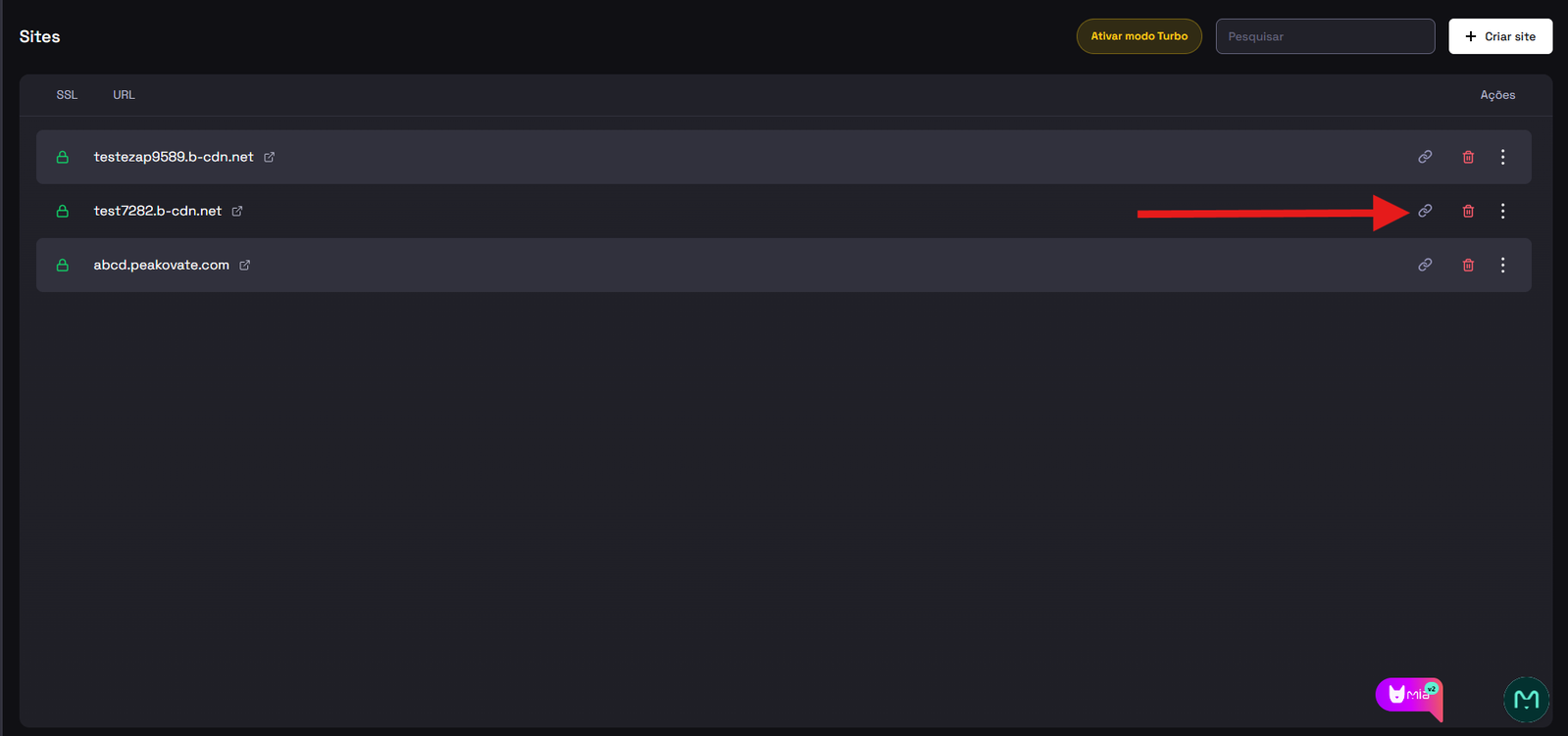
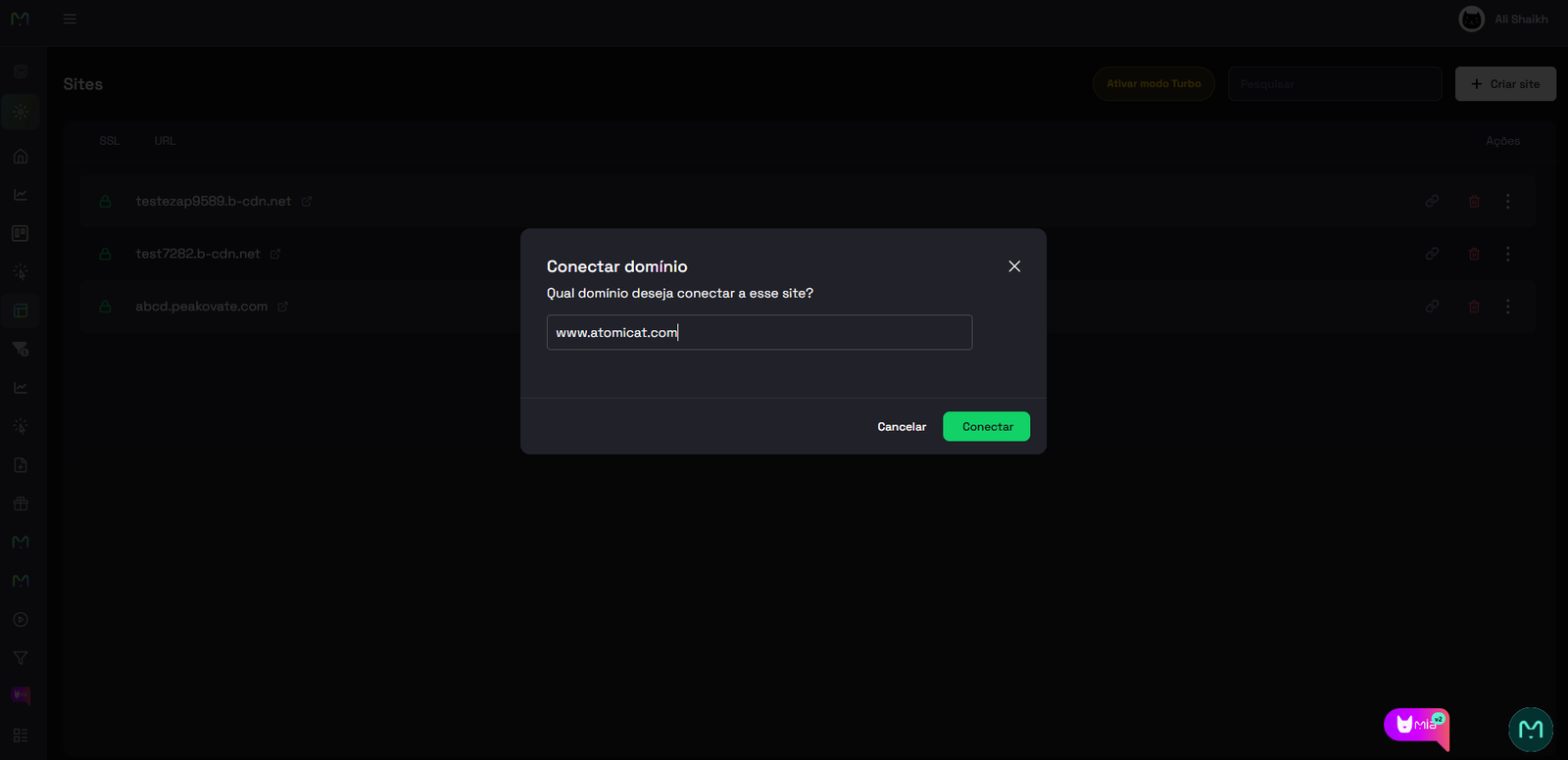
Before you edit DNS at GoDaddy, open Sites in Atomicat, start the custom domain connection flow, and copy the DNS value shown in the Points to field. You will paste that value into GoDaddy as the CNAME target for www.
Before you start
Make sure you have:
- Access to the GoDaddy account that owns the domain.
- The DNS record value shown by Atomicat for your site.
- A few minutes to edit DNS, plus time for propagation (often 15 minutes to 24 hours).
DNS is always edited at GoDaddy. Atomicat only verifies the records after they are public.
Steps at GoDaddy
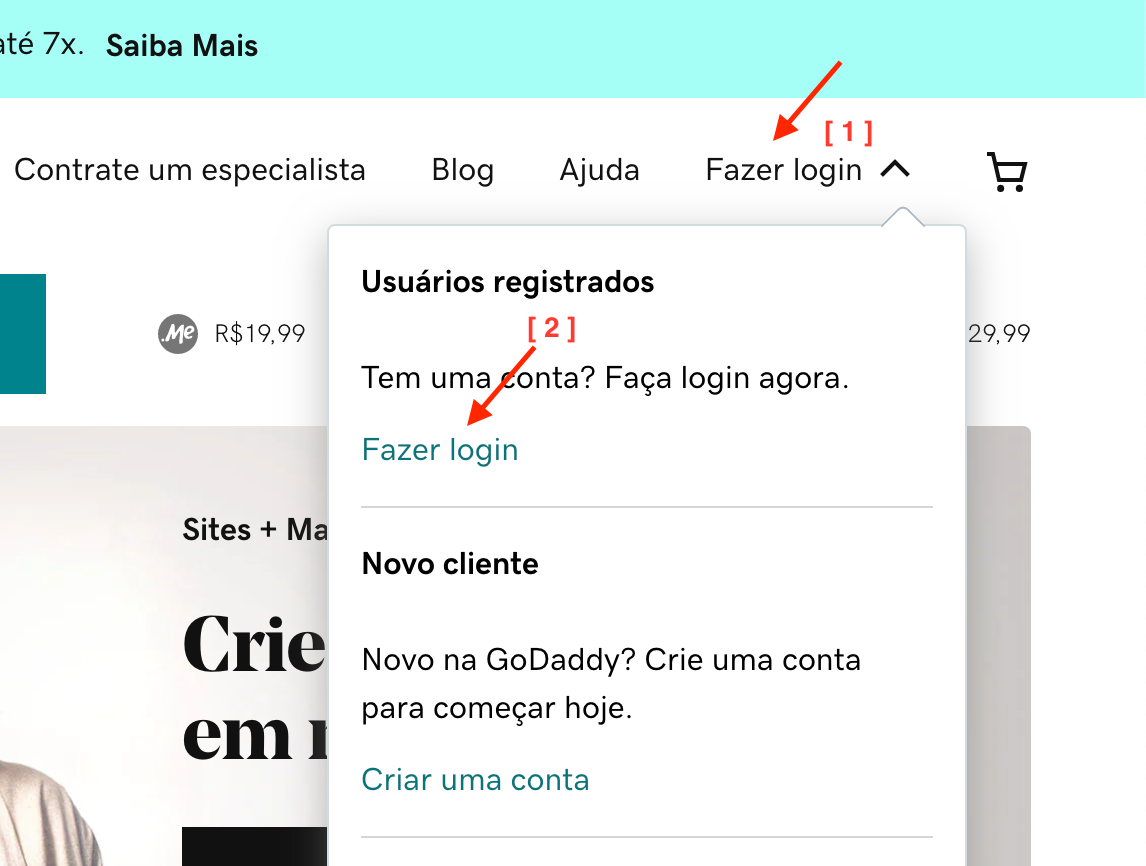
- On the GoDaddy homepage, click Sign In.
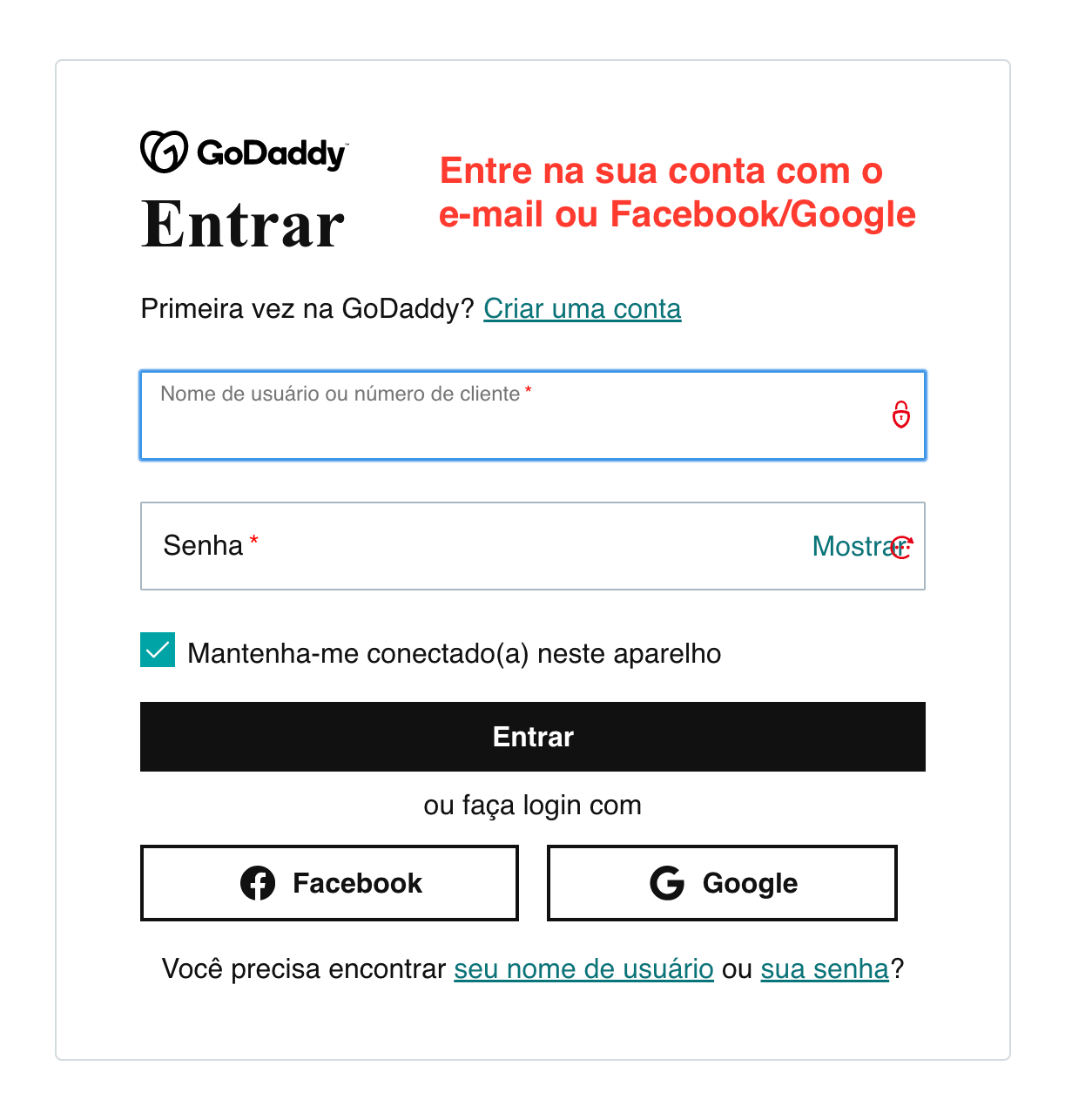
- Log in with email and password, or with Facebook or Google.
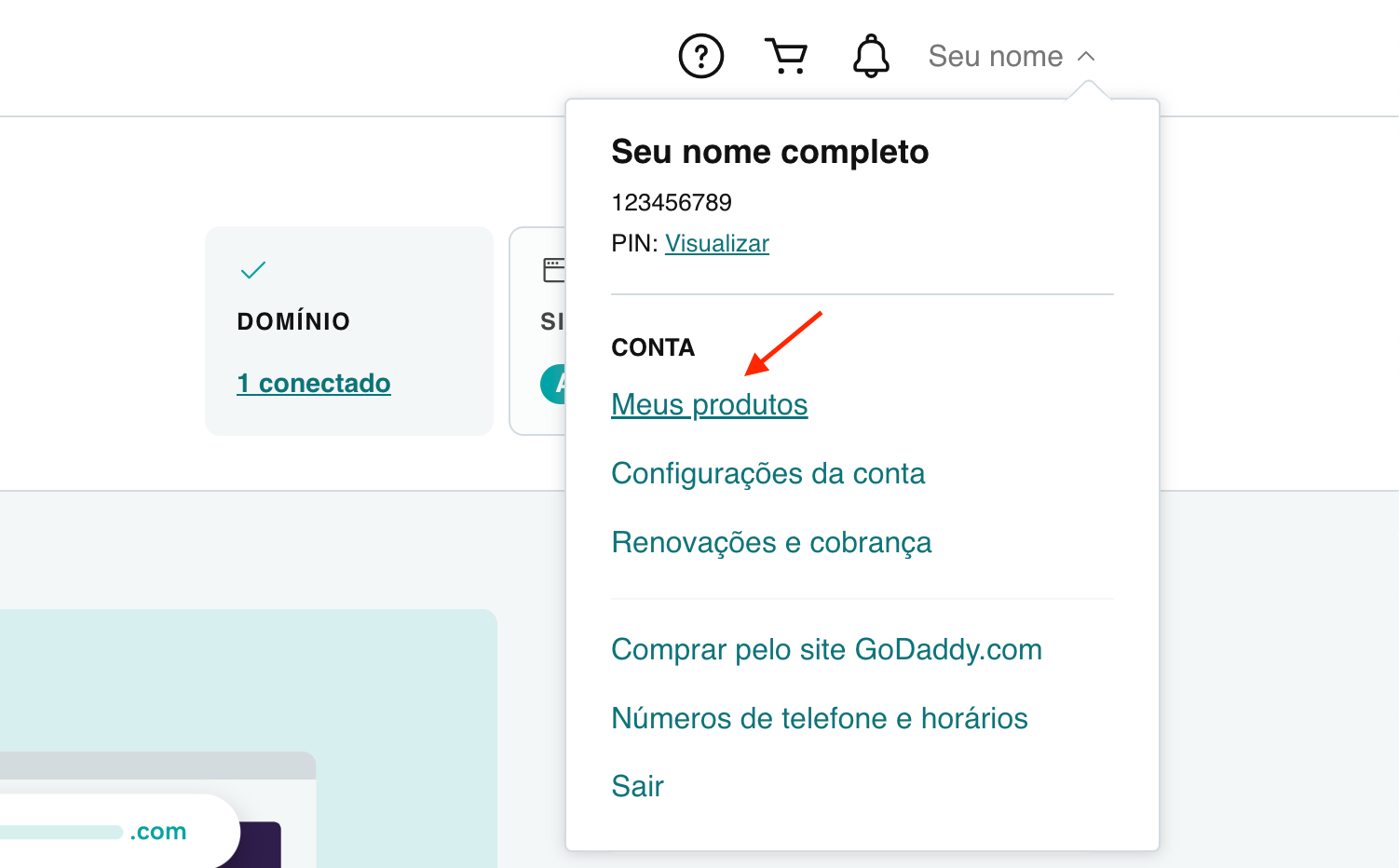
- In the top menu, click your name, then click My Products.
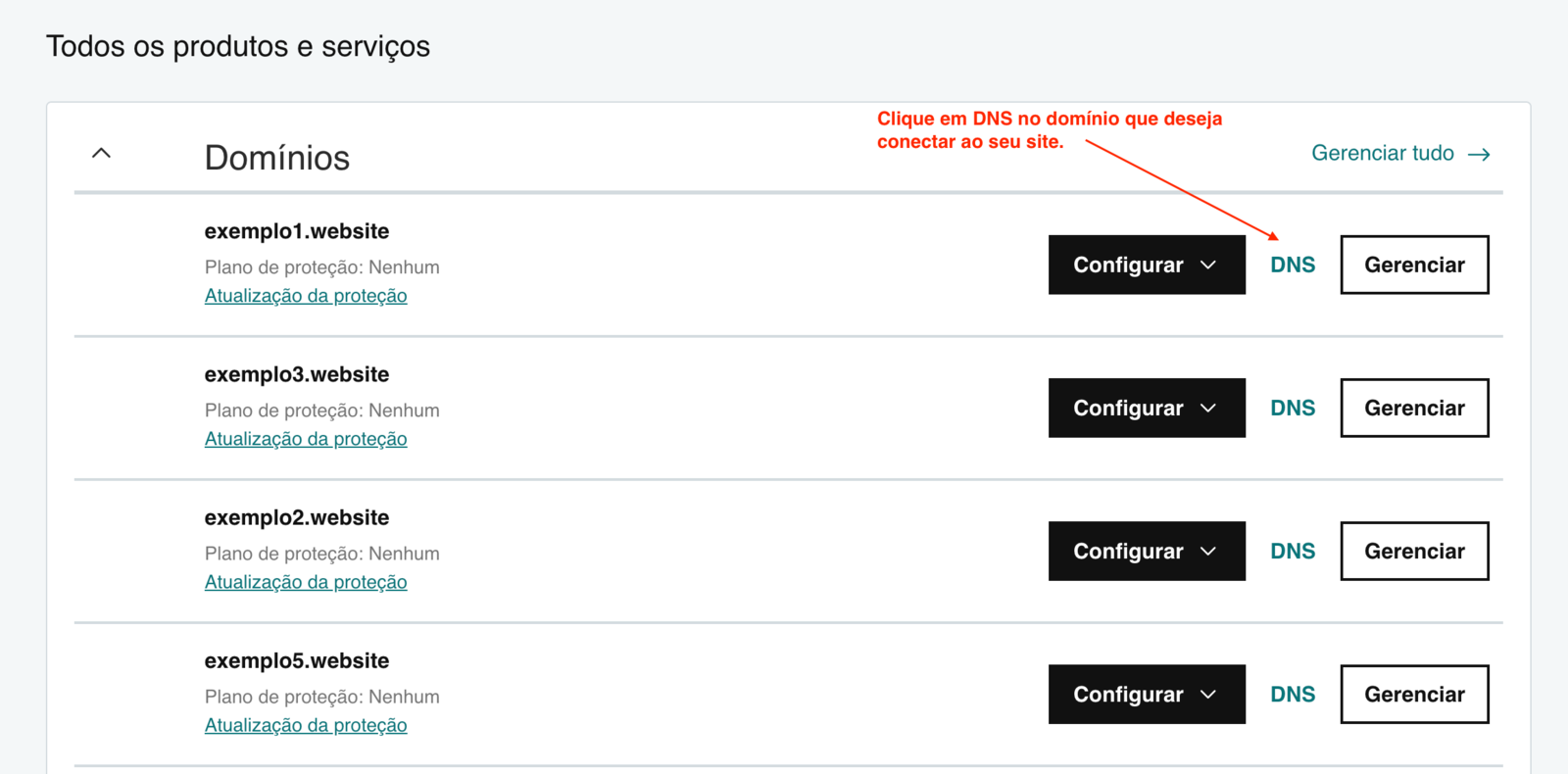
- Scroll down and click DNS for the domain you want to connect.
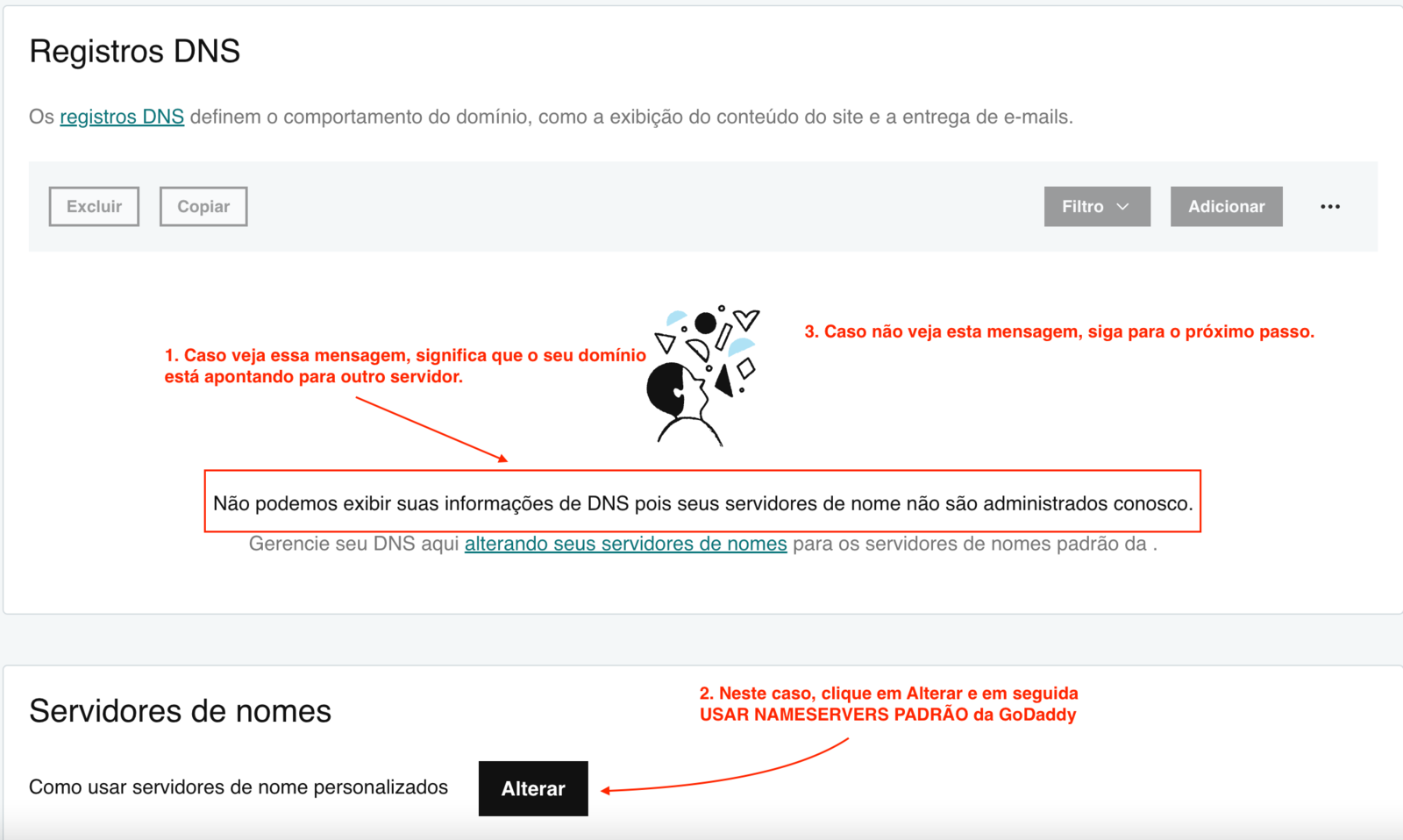
- Check whether GoDaddy shows the message in the screenshot below. It appears only when the domain points to servers outside GoDaddy. If you see it, follow the steps shown in the screenshot. Otherwise, continue to step 6.
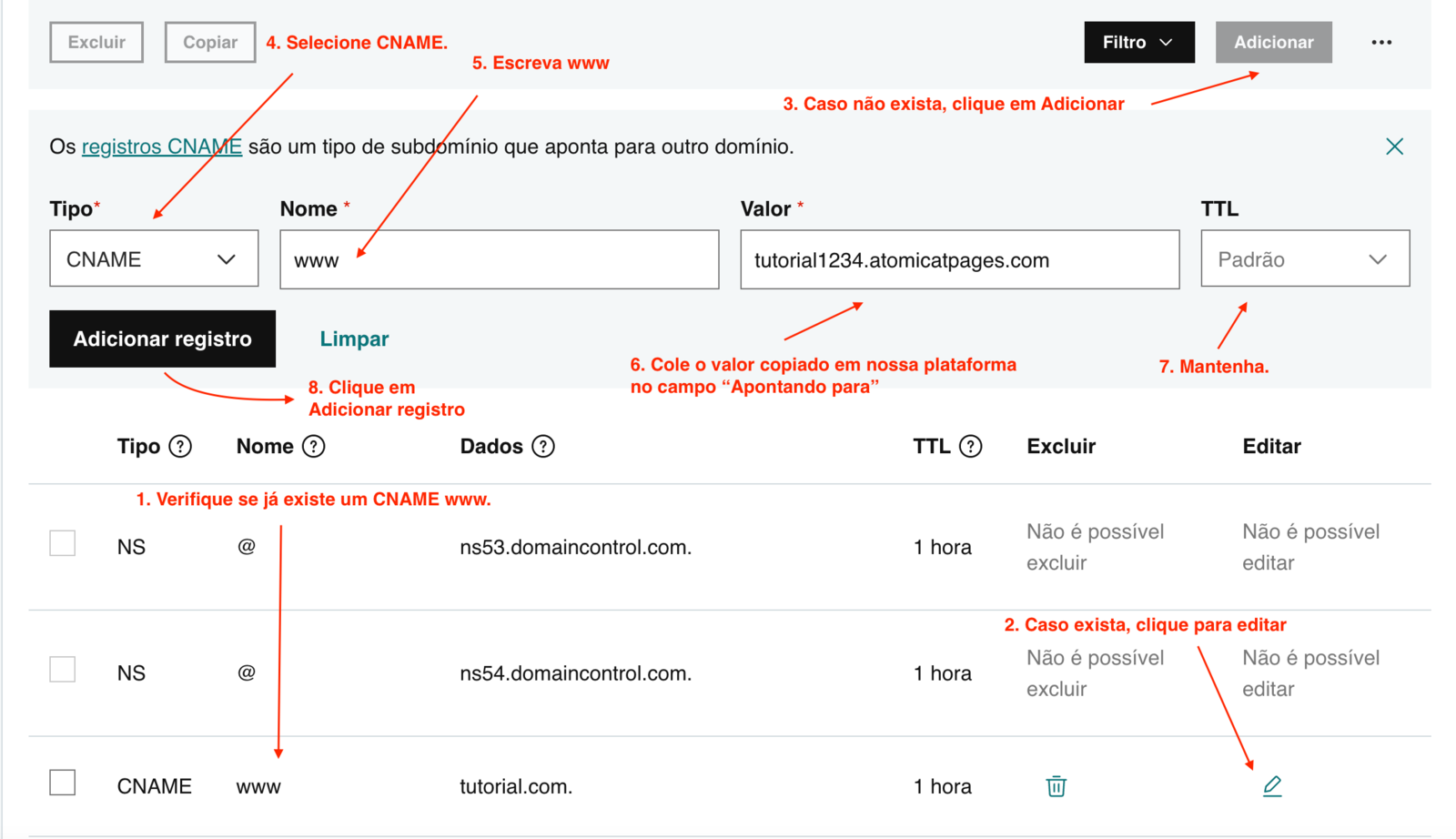
- Scroll to the DNS Records section. If a CNAME record for
wwwalready exists, edit it and set Points to to the value copied from Atomicat, then save. If nowwwCNAME exists yet, create one as shown in the screenshot.
- If you only edited the existing
wwwrecord, propagation often completes within 15 minutes. If you created a new record or changed other GoDaddy settings, it can take up to 24 hours. After waiting, return to Atomicat and click Verify.
- If propagation is not complete, Atomicat shows an error like the one below. If your DNS settings are correct, wait a little longer. Propagation can take up to 24 hours and depends on GoDaddy, not on Atomicat.
- When propagation is complete, verification succeeds as shown below. At this stage, the site may still load on your Atomicat subdomain. To use your own domain with HTTPS, complete SSL setup next.
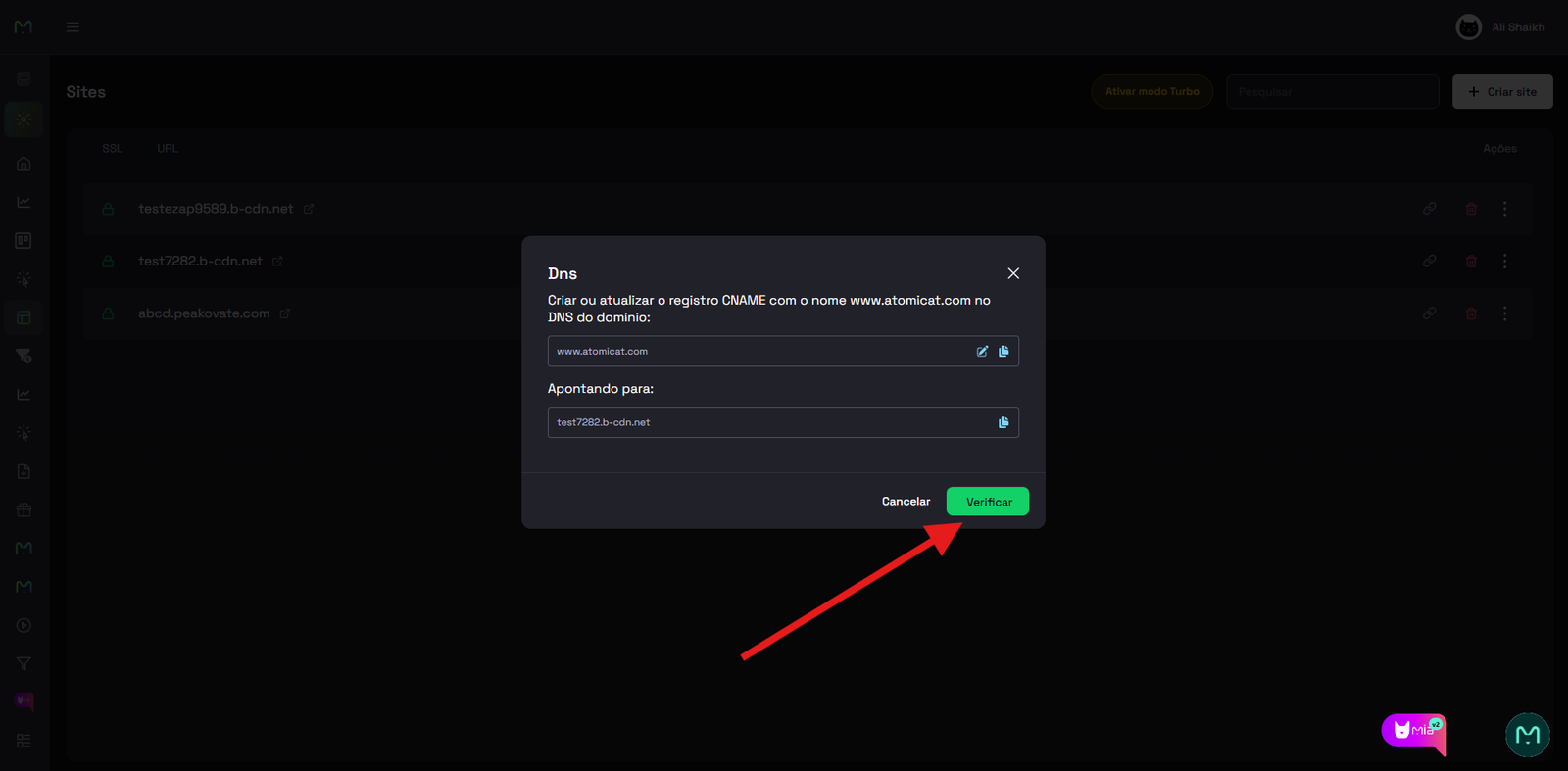
After verification
Follow the SSL guide to activate the free HTTPS certificate for your connected domain. After SSL is active, visitors can open your site securely on your branded URL.
Related docs
- How to connect a custom domain
- Connect a domain
- DNS records
- SSL
- How to connect a Hostinger domain
- How to connect a HostGator domain
FAQ
Do I edit DNS inside Atomicat?
No. Add or update the CNAME record in GoDaddy. Atomicat verifies the record after it is public.
Which record should I change at GoDaddy?
Usually the CNAME for www. Use the exact value shown in the Points to field inside Atomicat.
How long does GoDaddy propagation take?
Simple CNAME edits often propagate within 15 minutes. New records or larger DNS changes can take up to 24 hours.
Why does verification fail even though I saved DNS?
Propagation may still be in progress, the CNAME target may not match Atomicat exactly, or another record may conflict with www.
Do I need SSL after the domain verifies?
Yes. Verification connects the domain, but HTTPS requires SSL to be active before you send public or paid traffic.